industrial training website

NOTE PAD

Notes to user: The electrical troubleshooting simulator is currently in [Explorer Mode], no electrical faults are present. Below is user area to type your own notes.

User Notes:  Open  -   Save  -   Clear

red test lead
vom
black test lead

The more shares, the more features to be added.

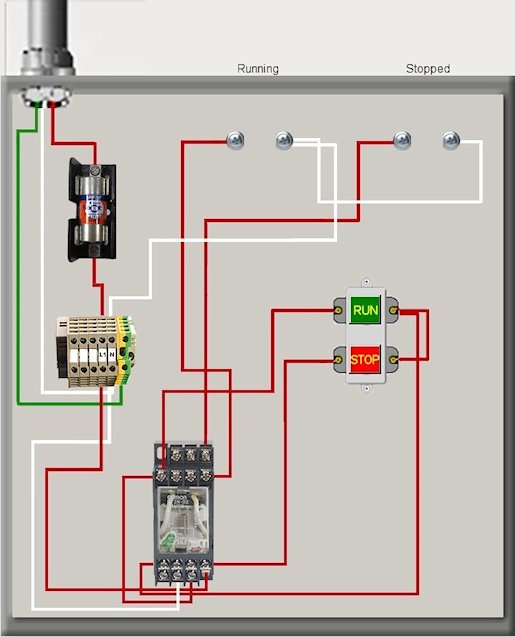
electrical circuit
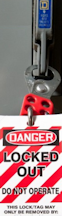
lockout clasp
machine running light
machine stopped
fuseBottomScrew fuseTopScrew offBulbLeftScrew offBulbRightScrew onBulbLeftScrew onBulbRightScrew onButtonLeftScrew onButtonRightScrew offButtonRightScrew offButtonLeftScrew relayTopScrew2 relayTopScrew3 relayTopScrew1 lngBottomBtn3 relayBtmScrew4 relayBtmScrew2 relayBtmScrew3 relayBtmScrew1 lngBottomBtn1 lngBottomBtn2 lngTopBtn1 lngTopBtn2 onButton offButton
  • Tighten Screws

  • Relace Device

Keep an eye on this system terminal message area for helpful information.

You are in [Explorer Mode]
Try draging the black lead to ground terminal and the red lead to fuse terminal.
You should see about 120v on meter.

Electrical Troubleshooting Simulator

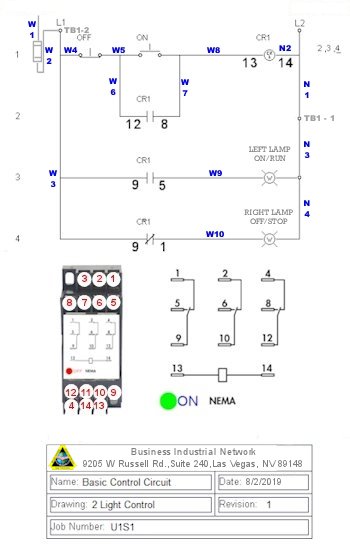
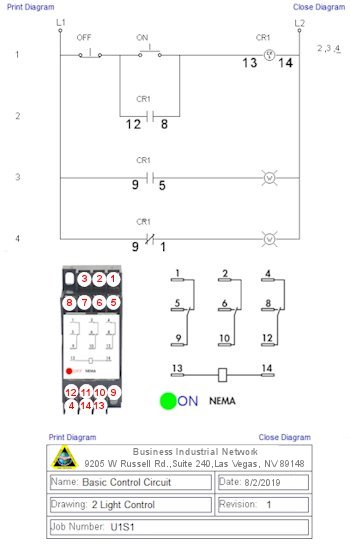
  • Electrical Diagram
  • Next Step
  • Help
Minutes
Exploring
« Current Score

Simulator Options

  • Tighten Screws

  • Relace Device
  • Tighten Screws

  • Relace Device
  • Tighten Screws

  • Relace Device
  • Tighten Screws

  • Relace Device
  • Tighten Screws

  • Relace Device
  • Tighten Screws

  • Relace Device

Troubleshooting Simulator Quick Help

It is recommended that first time users watch this Quick Start video to have a better experience with this free online electrical troubleshooting simulator.

lighting circuit
Close
Close